Feature Round Up: What's New in Garage Hive?
Exciting new features in Garage Hive! Thanks to your feedback, we’ve rolled out a packed set of improvements between September 2025 and March 2026, covering everything from customer communication and technician workflows to parts ordering and financial management. Here’s a roundup of what’s new:
Service Advisor Operations
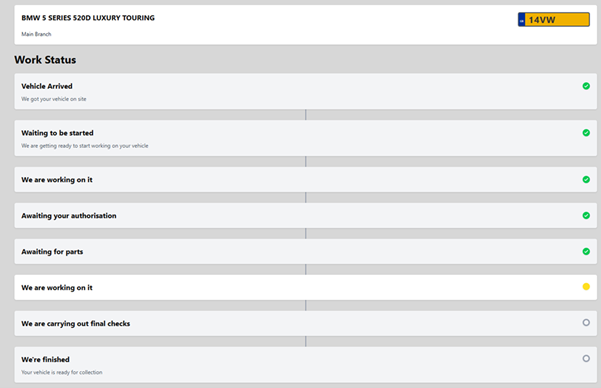
Live Work Status Updates: Customers can now receive real-time updates on their vehicle’s service progress, with clear messages like “Waiting to be started” or “We’re working on it”. The cycle is initiated by the Vehicle On-Site slider on the jobsheet, read more.
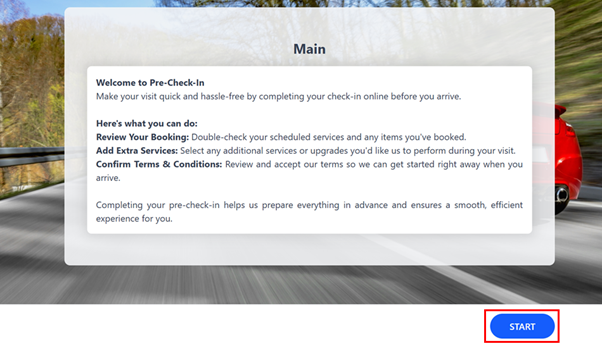
Pre Check-In: A new Pre Check-In feature streamlines the customer drop-off process, improving accuracy and reducing front desk time for a smoother experience, read more.
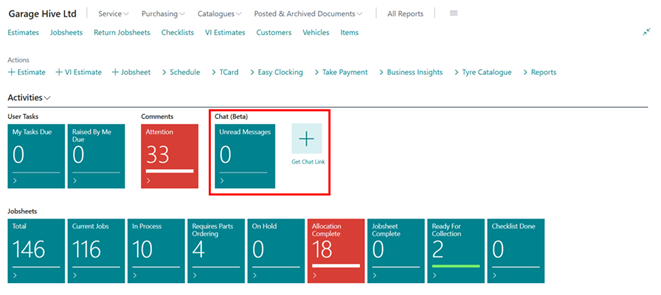
Web Chat (beta) Platform: Service Advisors can now access a new Web Chat communication platform directly within Garage Hive. Customers initiate conversations via a unique URL sent by SMS or Email, read more.
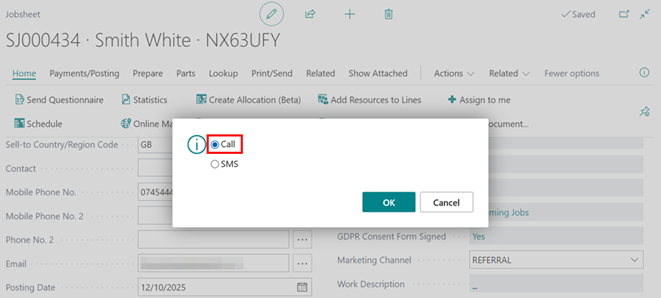
Click to Call: A new Click to Call feature integrates with your external phone system, letting you initiate phone calls and SMS messages directly from service documents or anywhere a phone number appears in the system, read more.
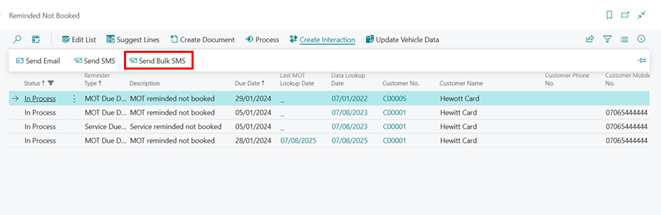
Send Bulk SMS: Added a Send Bulk SMS option to the Reminded Not Booked list, allowing service advisors to contact multiple customers simultaneously with promotional offers.
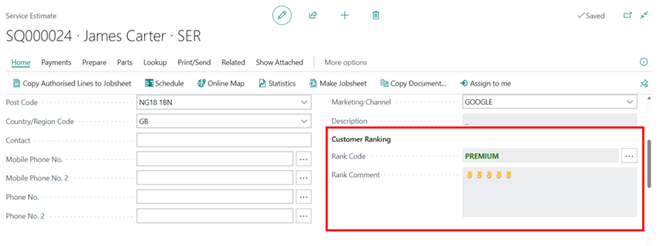
Customer Ranking on Estimates: The Customer Ranking field now appears on the Estimate page, automatically fetching the classification from the Customer Card for immediate visibility during the estimation process, read more.
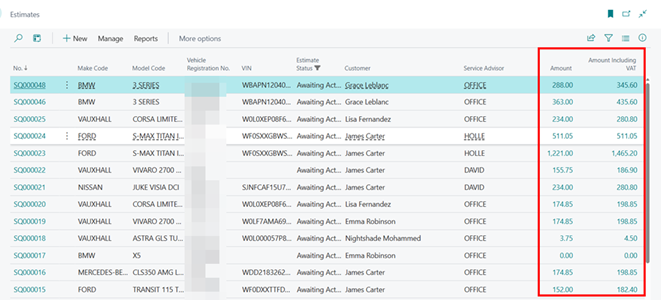
Added Amount and Amount Including VAT columns to the Estimate List view, allowing you to sort and prioritise estimates by value at a glance.
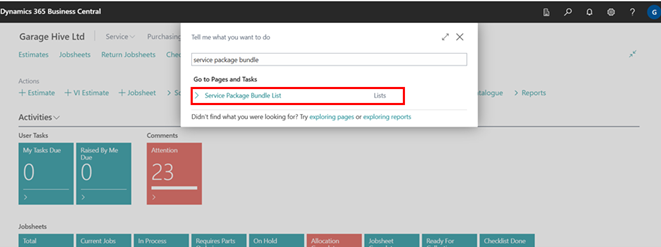
Service Package Bundles: You can now group multiple service packages together with a defined discount percentage or amount, read more.
Multi-Select Service Packages: The Service Package lookup now supports selecting multiple packages simultaneously by checking relevant boxes before adding them to a service document, read more.
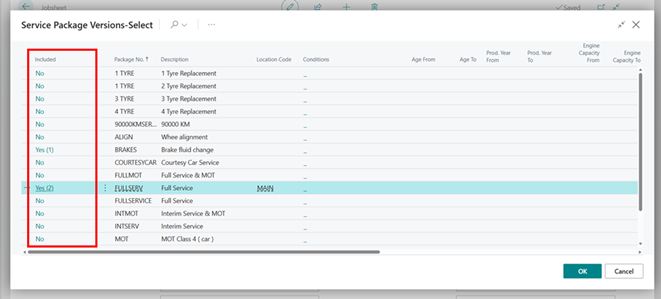
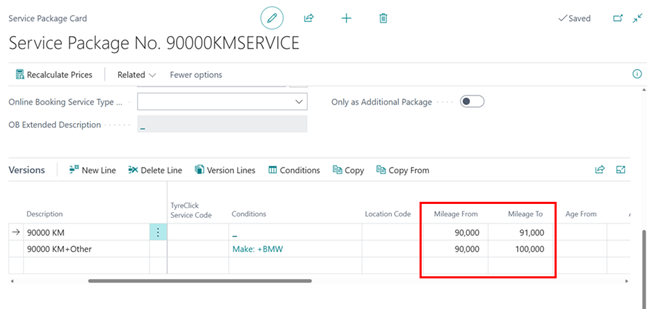
Mileage-Based Service Package Filtering: You can now define a mileage range (From/To) for Service Packages. When a vehicle’s mileage is entered, the system automatically filters the list to show only relevant packages, read more.
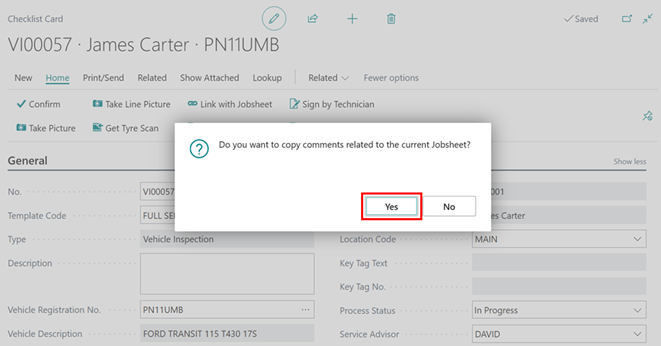
Added a prompt to copy comments from a Jobsheet when creating a Vehicle Inspection Estimate (VIE), ensuring important notes are carried over.
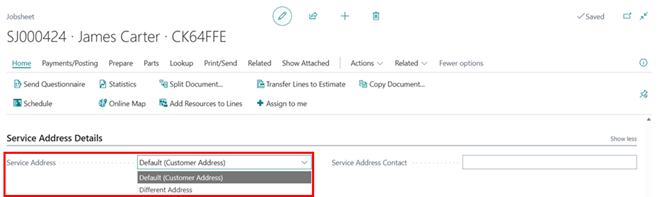
Added an option in the Jobsheet to copy the customer’s address to the service address, supporting both default and alternative addresses.
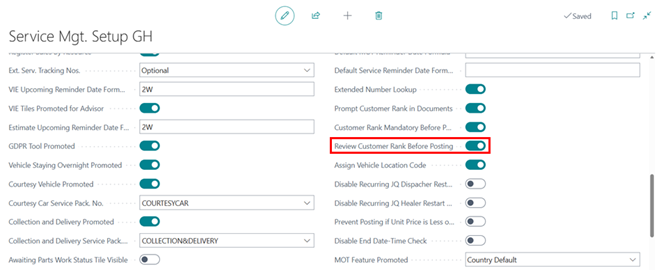
An optional setting now prompts Service Advisors to review the Customer Rank when posting a jobsheet, ensuring customer status is re-evaluated based on the most recent interaction, read more.
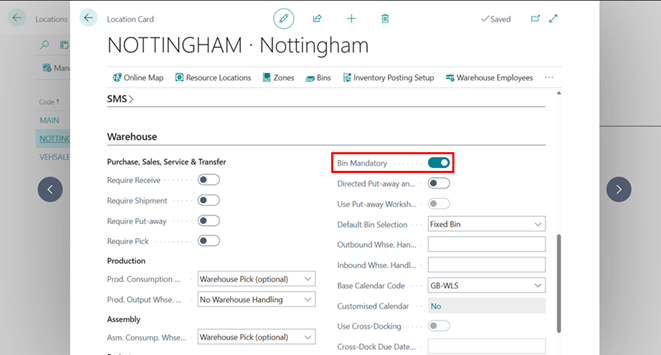
Bin Functionality on Jobsheets: Bins can now be assigned on Jobsheets for improved stock control accuracy, particularly beneficial for mobile operations to track inventory per van, read more.
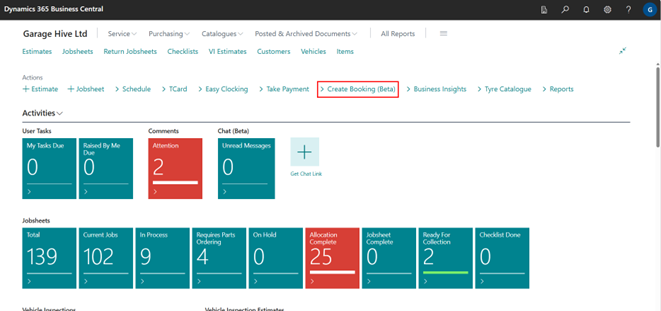
Booking by Time Slots Wizard (beta): Front-of-house and service advisors can now create time-slot bookings directly from the Role Centre and Jobsheet without first opening the schedule, read more.
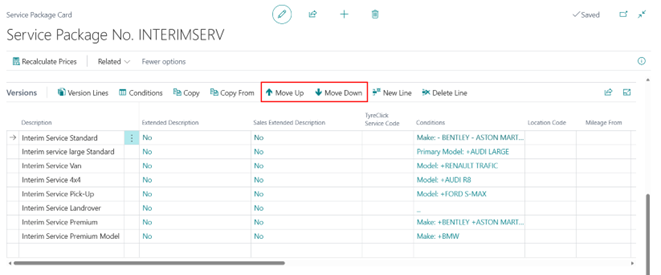
Move Up and Move Down for Service Package Versions: Custom ordering of Service Package Versions is now supported, allowing you to rearrange versions in the list to suit your preferred display order.
Customer Management
Customer Signature Capture: Customer signatures can now be captured on Proforma Invoices and Invoices. Technicians can also capture signatures directly from their device interface, read more.
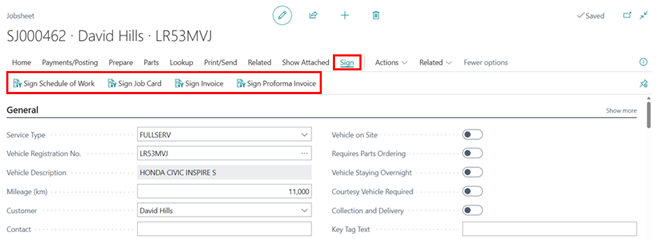
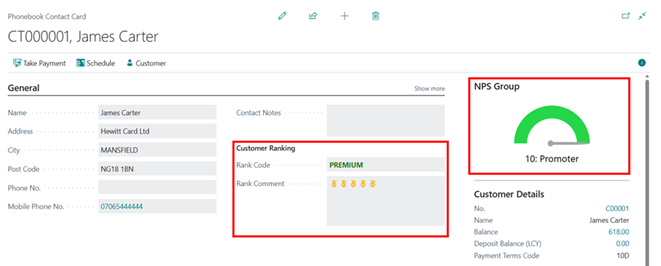
Added Customer Ranking and NPS (Net Promoter Score) directly onto the customer’s phone book for quick reference.
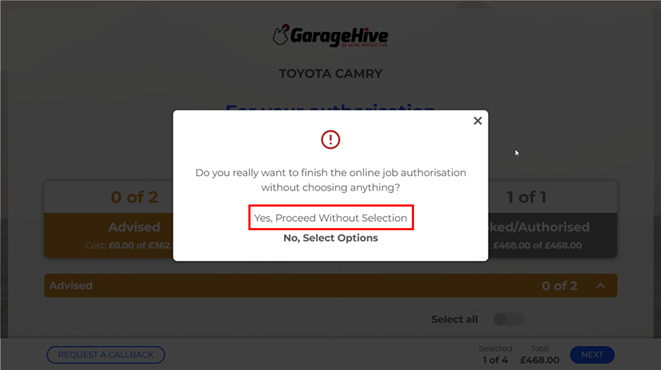
Updated the online authorisation process to allow customers to submit an authorisation document even when no additional work is approved, read more.
Technician Operations
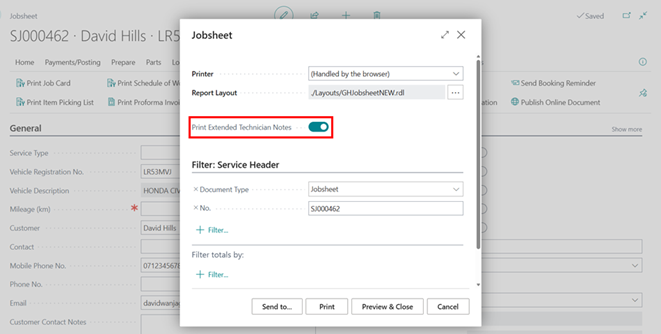
Print Extended Technician Notes: A new slider in Service Mgt. Setup and the Job Card request page lets you choose between the extended layout with more space for Technician Notes or the standard Job Card layout, read more.
Added the T-Card Container field to the Technician Easy Clocking view, enabling technicians to update vehicle statuses directly without Service Advisor intervention.
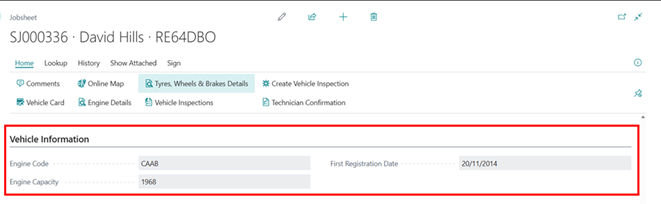
Vehicle Information FastTab on Easy Clocking: A dedicated section now displays VIN, Engine Code, First Registration Date, and Exact CC directly on tablet devices for technicians.
Visual Indicator for Technician Time Overrun: When a technician’s active job exceeds the allocated time slot on the Service Schedule, the allocation is highlighted in a distinct colour for quick identification, read more.
Vehicle Management
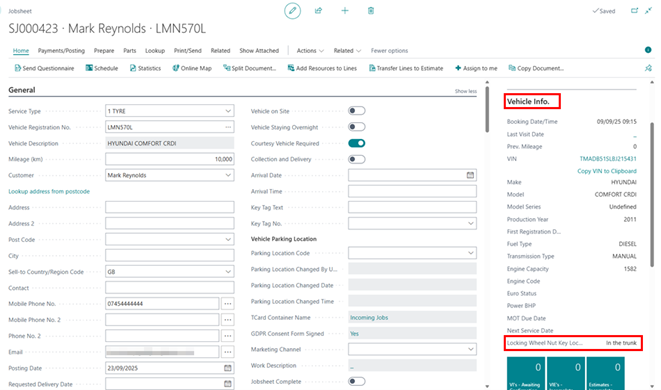
Added the Locking Wheel Nut Key Location field to the Jobsheet’s Vehicle Info FactBox for quicker access.
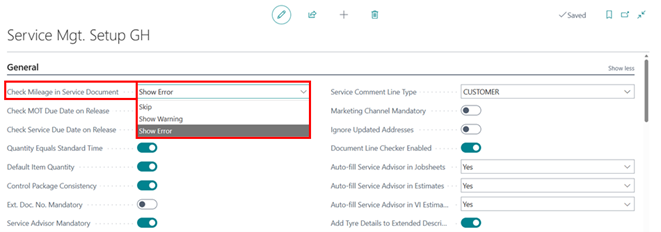
Extended the Check Mileage validation logic to cover Vehicle Inspections, ensuring mileage is recorded before an inspection can be completed, read more.
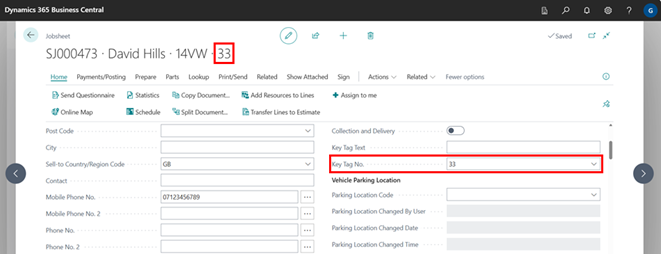
The Key Tag number now displays directly in the Jobsheet Header title, making it immediately visible to staff when a tag is assigned.
Online Booking
Online Booking API: A new API enables integration with external providers like Reception Mate, allowing seamless booking information flow into Garage Hive with clear identification.
Increased the maximum booking period for Online Booking to 400 days.
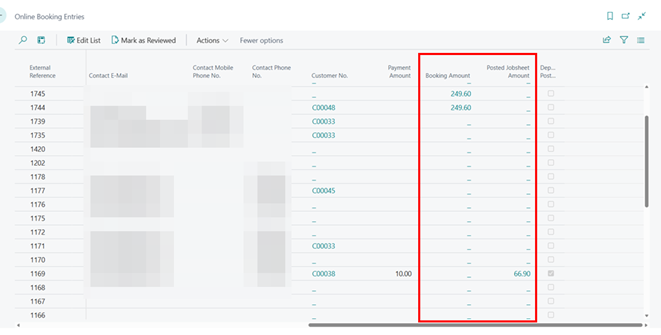
Added Booking Amount and Posted Jobsheet Amount columns to the Online Booking Entries list, enabling a direct comparison between the initial online estimate and the final invoiced amount.
Finance and Accountancy
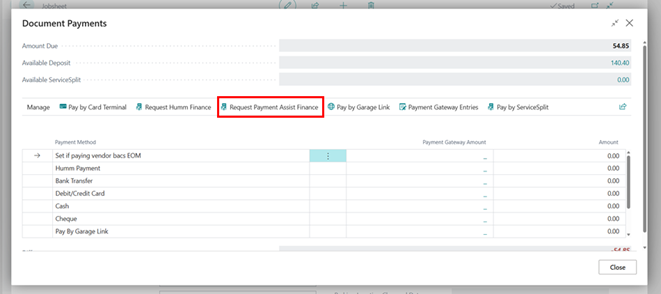
Payment Assist Integration: Customers can now apply for financing for vehicle services directly within Garage Hive, with flexible payment plans to help manage larger bills, read more.
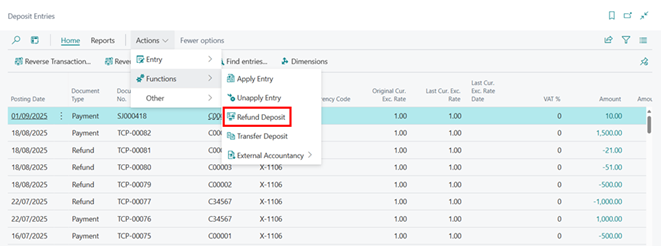
Refund Deposit: Added a Refund Deposit action to the Deposit Entries page for faster processing of deposit refunds.
Added the ability to create Service Split payment plans with a starting balance, ideal for carrying over funds from a previous arrangement.
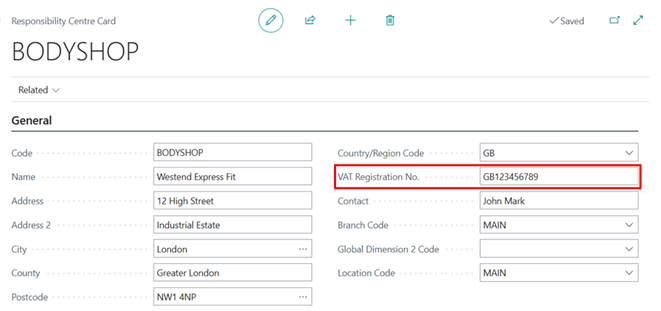
VAT Registration No. on Responsibility Centre: Sales Invoice printouts now dynamically pull the VAT number from the assigned Responsibility Centre, falling back to Company Information if none is set, read more.
Purchasing and Parts
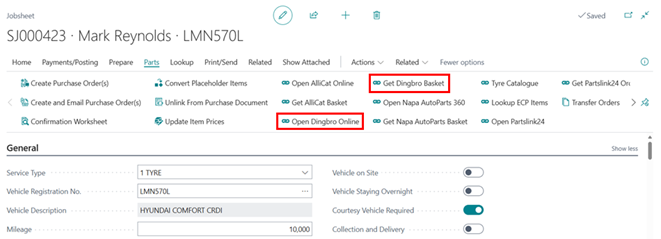
Dingbro Parts Catalogue Integration: A new integration streamlines ordering by launching a vehicle-specific search from a Jobsheet and importing selected parts directly as new line items marked for a purchase order, read more.
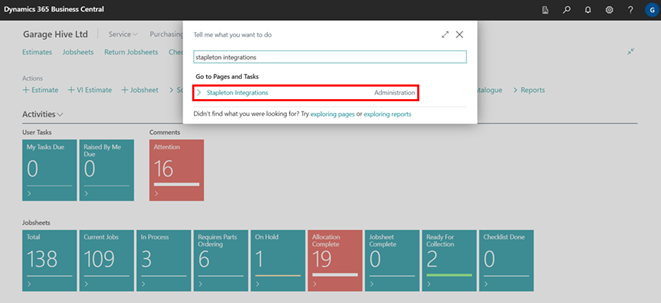
Stapleton Tyres Integration: A new integration with Stapleton Tyres is now available through the Tyre Catalogue action, read more.
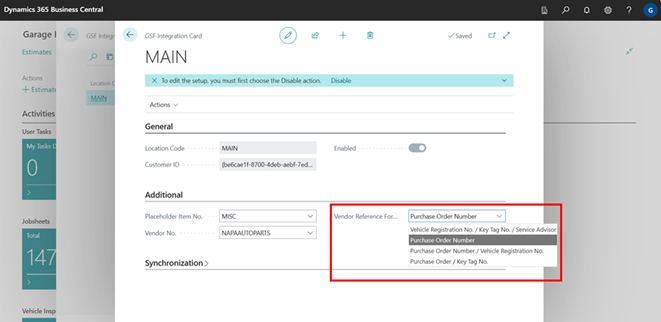
Standardised Vendor Reference options across ECP/LKQ, GSF, NAPA, and Dingbro parts supply integrations for a more consistent experience.
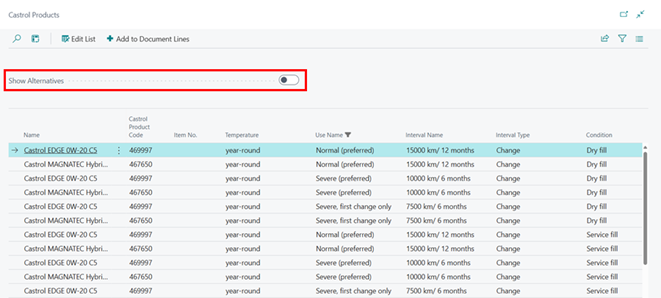
Improved the Castrol Oil Lookup to prioritise preferred products, with an option to show alternative products under the Show Alternatives slider.
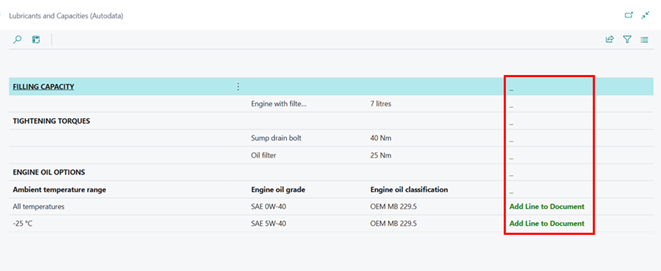
You can now create service lines directly from the Autodata Oil and Lubricants lookup.
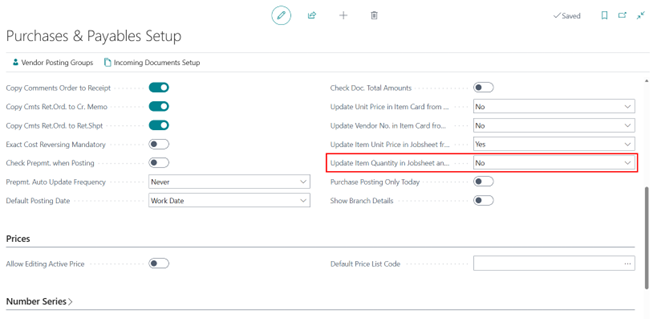
Purchase Order Quantity Sync: A new setting controls whether modifying the quantity on a Purchase Order automatically synchronises with the linked Jobsheet line, giving you full control over how order changes flow through, read more.
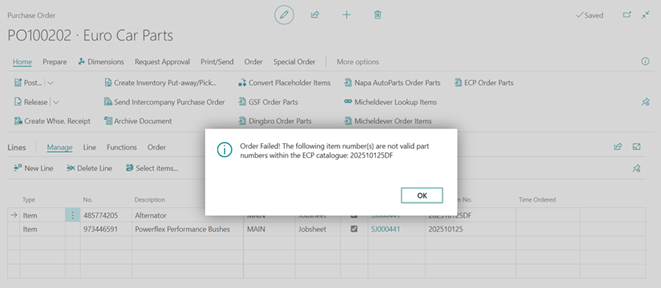
Part Number and Availability Checker for ECP Orders: The system now validates part numbers and stock availability before ECP orders are submitted from the Jobsheet, read more.
Inventory Management
Added an Extended Description field to the Item Card, allowing the addition of default item card information.
Updated Modern Search to include the Barcode field, making it easier to locate items using scanned codes.
Vehicle Sales
Enhanced Intercompany Transactions to automatically transfer vehicle information when sending a Purchase Order to a partner company, including VIN checking to link or create Vehicle records in the target company.
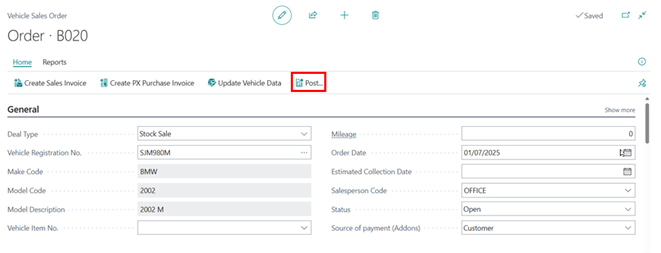
Added a Post action to the Vehicle Sales Order, streamlining the process by allowing all related documents to be posted with a single click.
Reporting and Documents
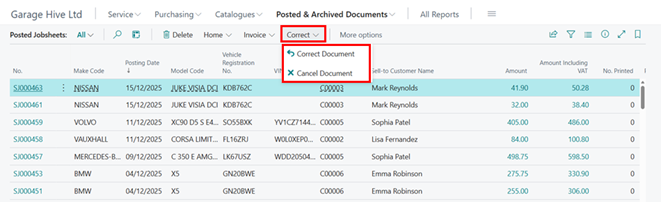
Added Correct and Cancel actions within the Posted Jobsheets list menu bar, allowing you to reverse documents or create corrective credit memos directly from the list view.
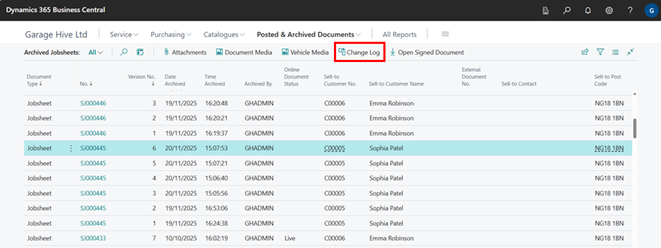
Change Log for Archived Documents: Users can now access the full change history of Archived Jobsheets, Estimates, VI Estimates, and Return Jobsheets, even after archiving.
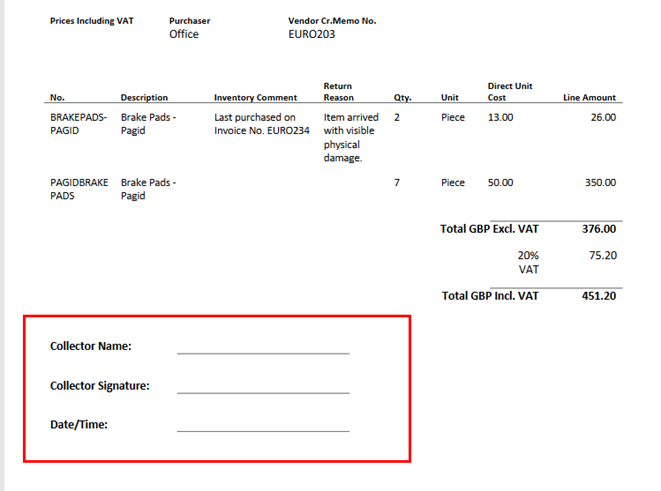
Added a dedicated Confirmation of Collection section to the Purchase Return Order printout, including fields for Collector name, signature, and Date/Time.
Enhanced Vehicle Inspection printouts for better clarity by adding mileage units, ISO week numbers in the header, and job titles above names in the signature section.
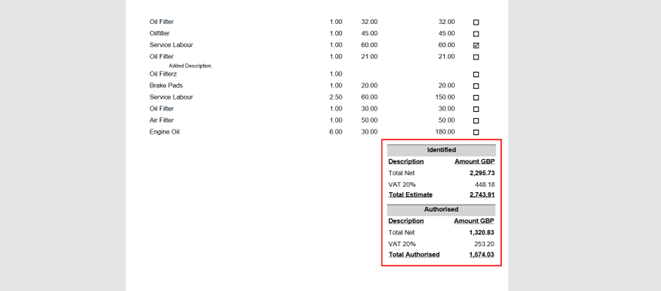
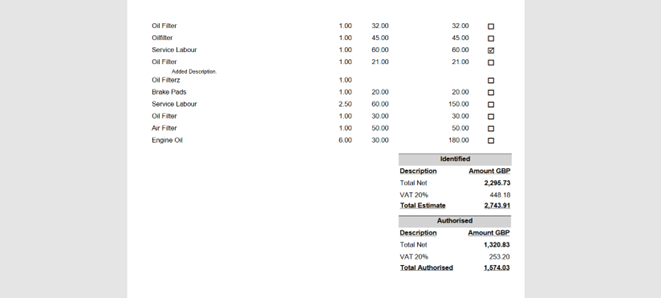
VIE Printout with Separate Sections: The Vehicle Inspection Estimate printout has been updated with separate Identified Work and Authorised Work sections, each with their own totals, for clearer presentation to customers.
You can follow all updates, new features and system improvements on our documentation website!
Copy link